New Synced lyrics for your Mac

Your song,
word for word.

Arioso turns your lock screen and desktop into live, synced lyrics for whatever you're playing. Lock your Mac, and the song fills the screen.

macOS 13 Ventura or laterApple silicon & IntelNo account

♪ Now playing on your Mac

Arioso is
built for

Walkthrough

From download to every word.

A 24-second walkthrough.

Arioso

Your song,
word for word.

Synced lyrics on your Mac's lock screen and desktop.

Arioso
Arioso
Applications
Terminal
~ % 
Now playingPaper LanternsJuniper Coast
⌥⌘L

Your song,
word for word.

Download for macOS

Free. Works with Spotify and Apple Music.

Lyrics when you lock

Step away.
Keep singing.

The moment your Mac locks, Arioso takes over the screen with the song you're playing: the cover, the time, and every line, right on beat.

  • Word by wordWords light up one by one as the line is sung.
  • Lit by the coverA soft light glows behind the album art, in its own colors.
  • Yours to tuneChoose how much the background moves and how dark it gets.
⌥⌘LLock your Mac straight into lyrics, from anywhere.
Illustration: someone with headphones and a mug, watching lyrics glow on their iMac at night
Lights low. Lyrics up.
Scenes

Five ways to see a song.

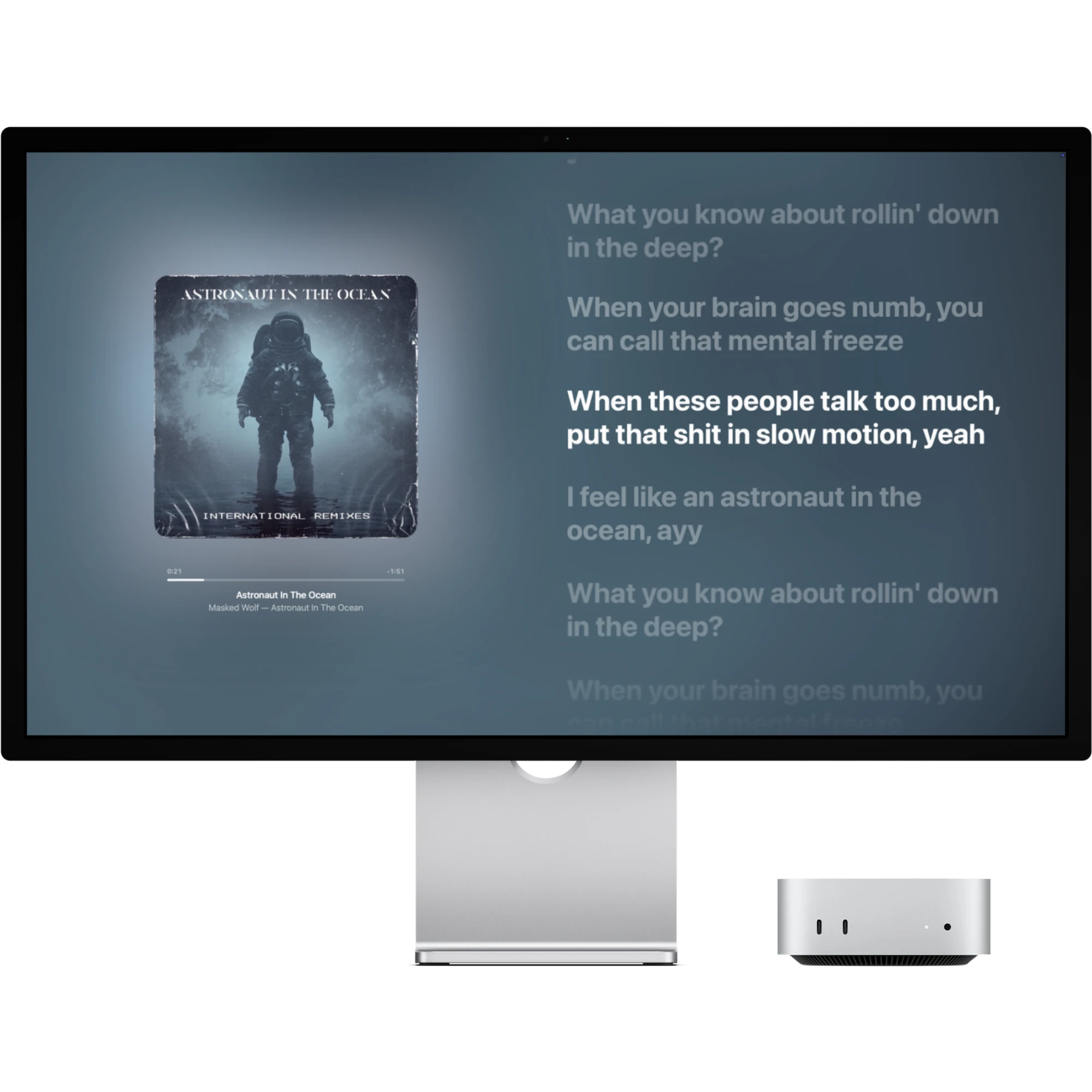
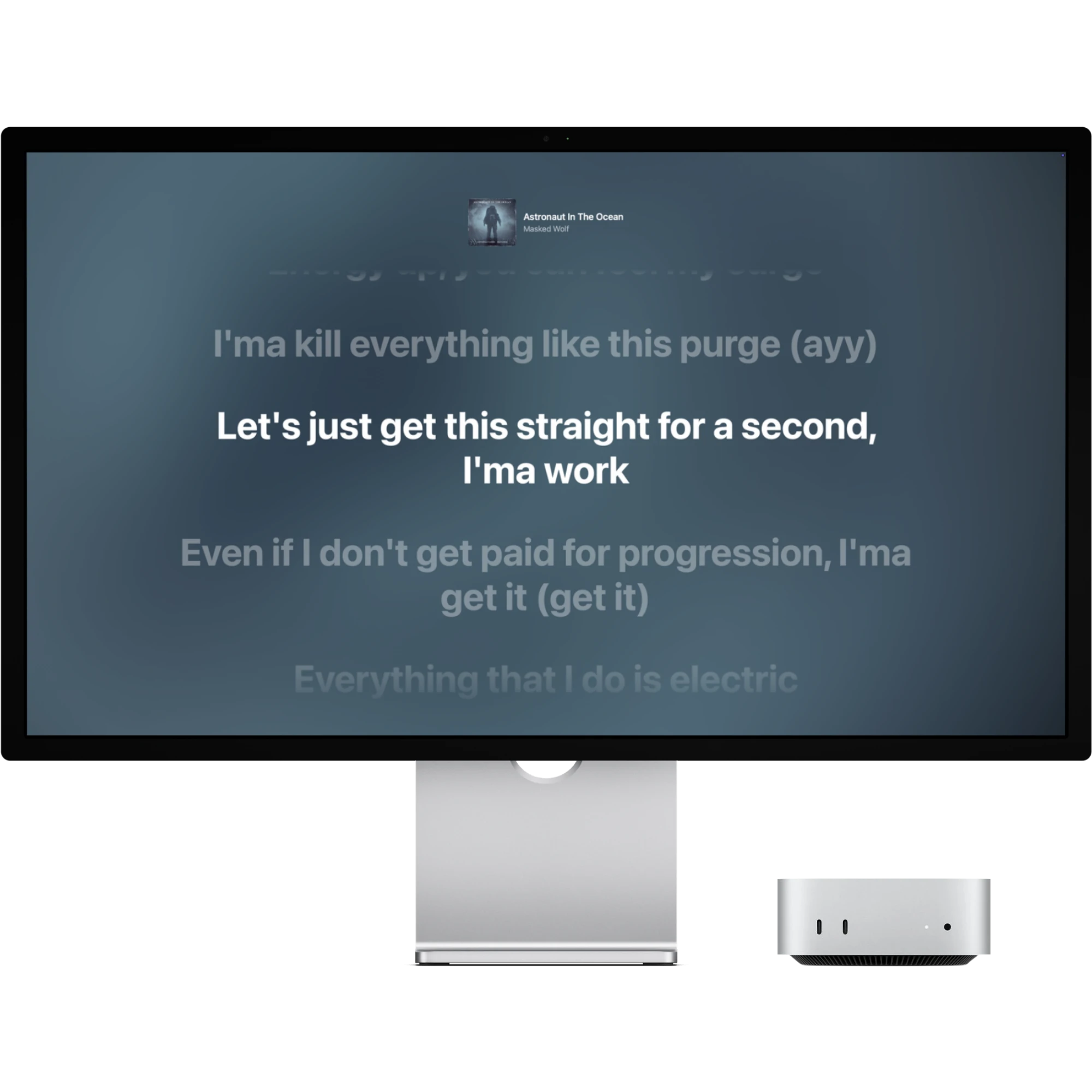
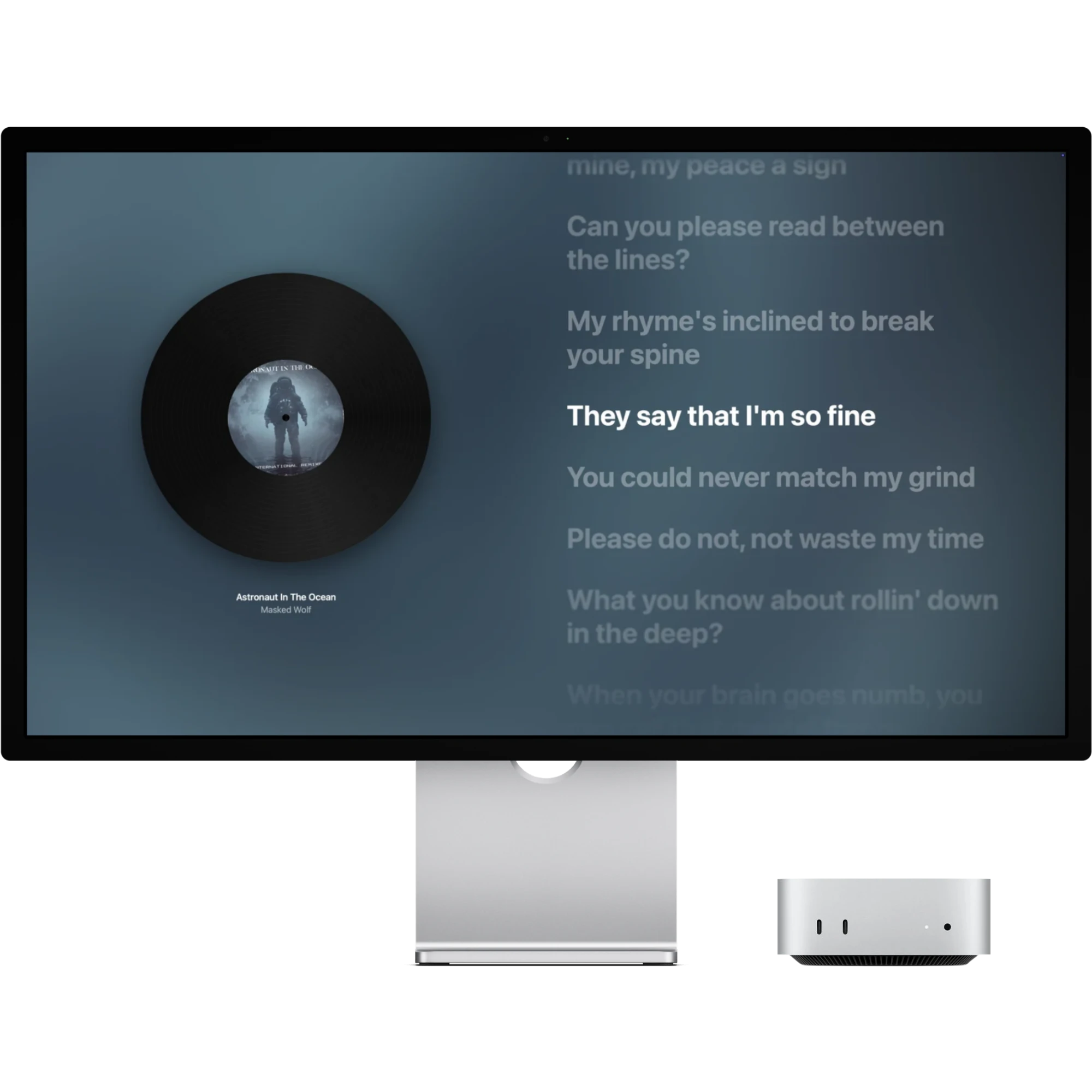
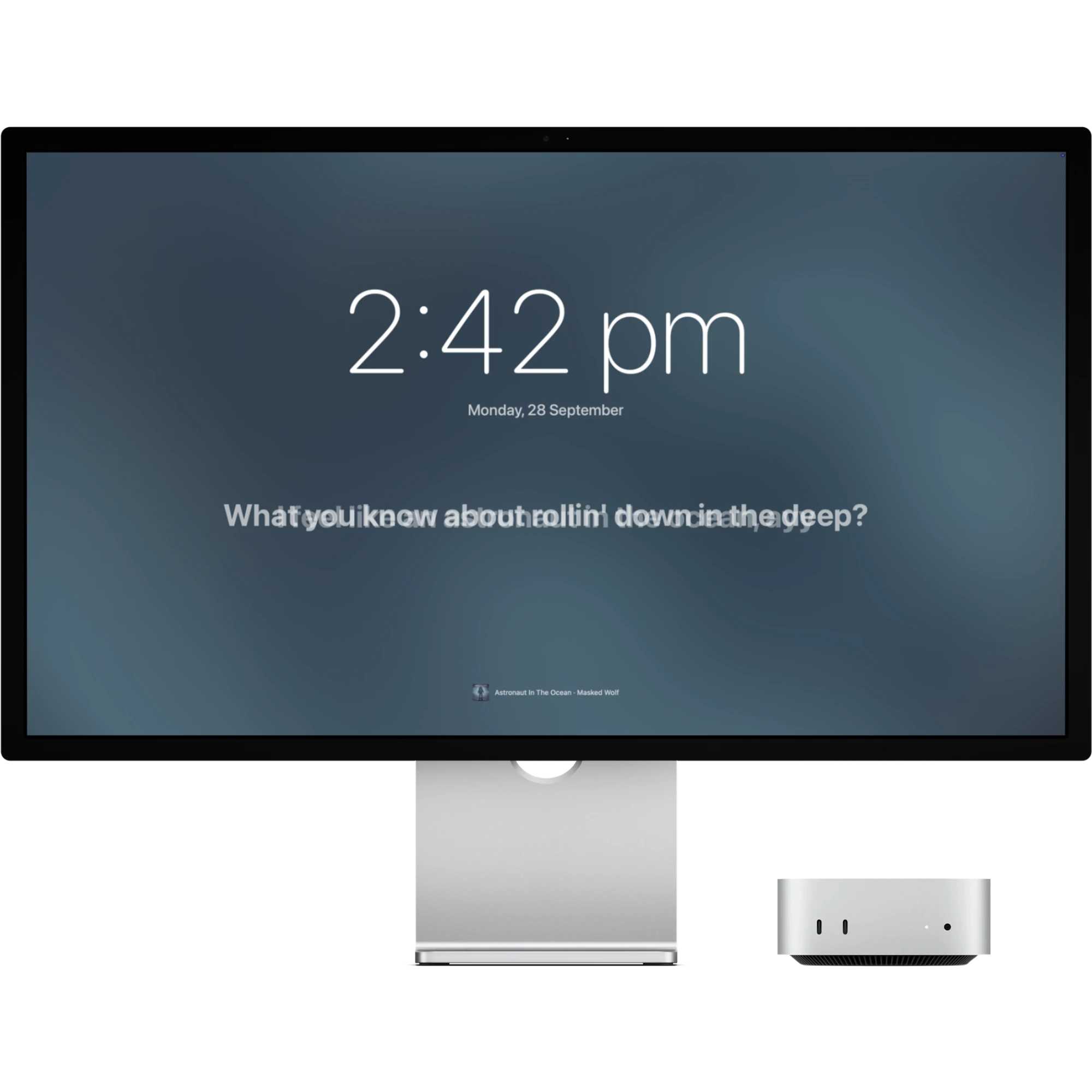
Pick the lock screen that suits the moment, or let Shuffle choose. The same song always comes back to the same scene.

Classic scene on a display: album art with a soft glow on the left, synced lyrics on the right Spotlight scene on a display: small cover at the top, lyrics large and centered Vinyl scene on a display: the cover spins as a record label beside the lyrics Minimal scene on a display: a large clock and a single lyric line

Desktop widgets

The song, right beside your work.

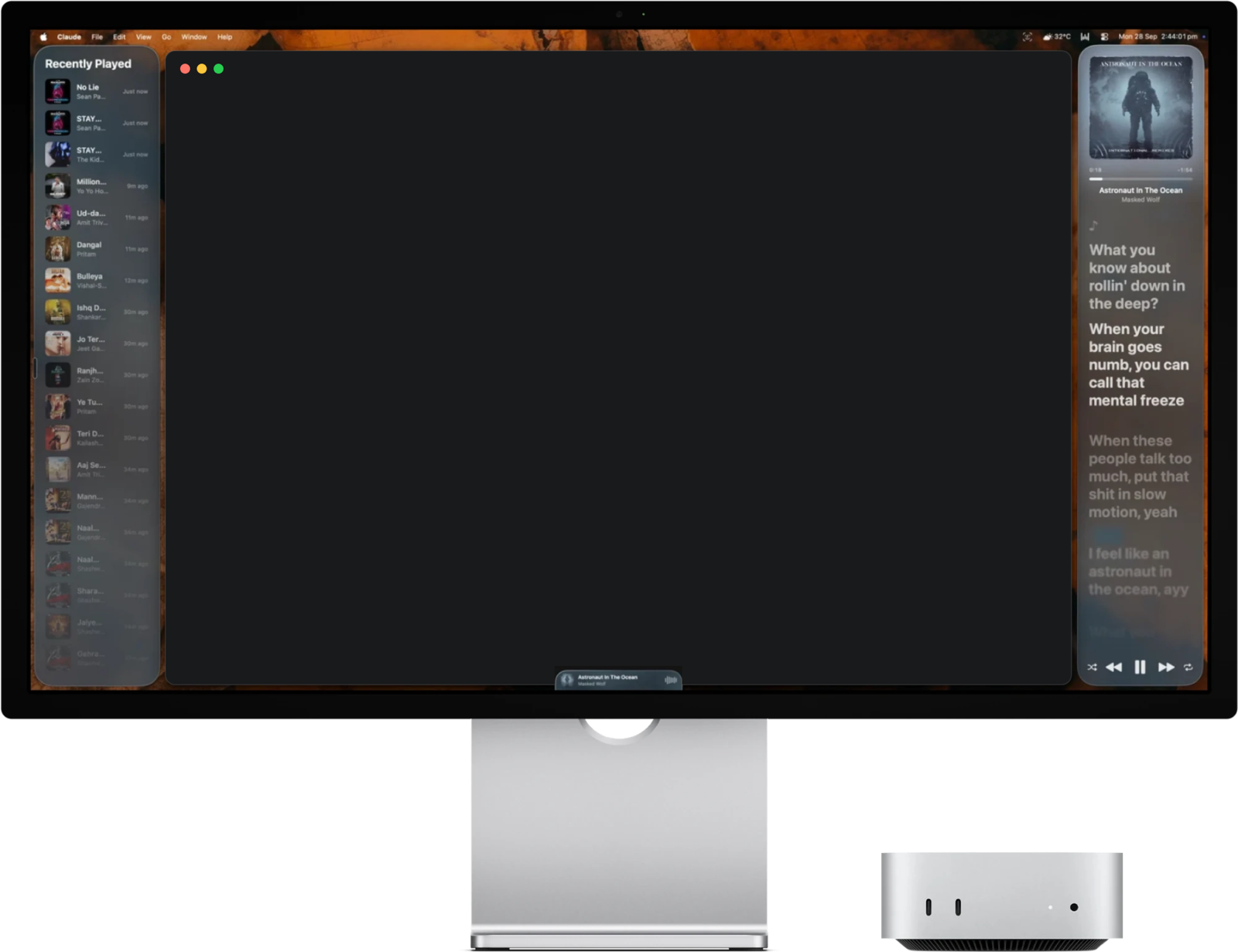
Lyrics and Recently Played live on your desktop. Drag them anywhere, resize them, and save the layout you like. And they're not just for looking.

A Mac on a display: the Recently Played widget on the left, the Lyrics widget on the right, the slim player at the bottom, and an app window fitted neatly between them
⌘⇧LYour app, fitted neatly between the widgets.

Click a lyric to jump

Missed a line? Click it in the Lyrics widget and the song jumps right there.

Try it: click a line.

Click a song to play it again

Recently Played remembers where each song came from. Click one and it plays in Spotify or Apple Music.

Try it: click a song.

Shown in Liquid Glass. Prefer solid cards filled with the song's moving album art? It's one switch in Settings.

Player

Always within reach.

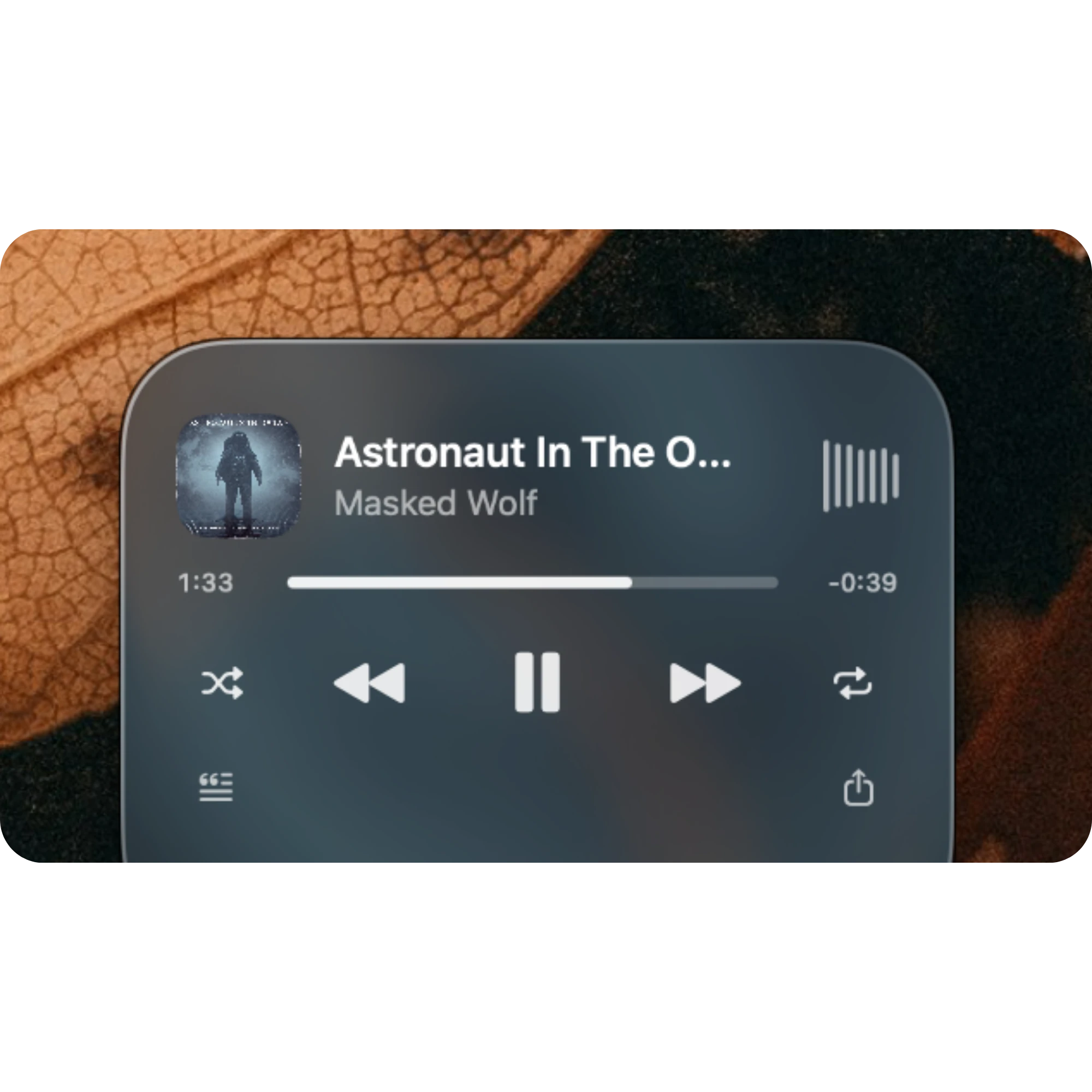
A slim player sits at the bottom of your screen, on top of every app. Click it for shuffle, previous, play or pause, next and repeat, and drag the progress bar to skip around.
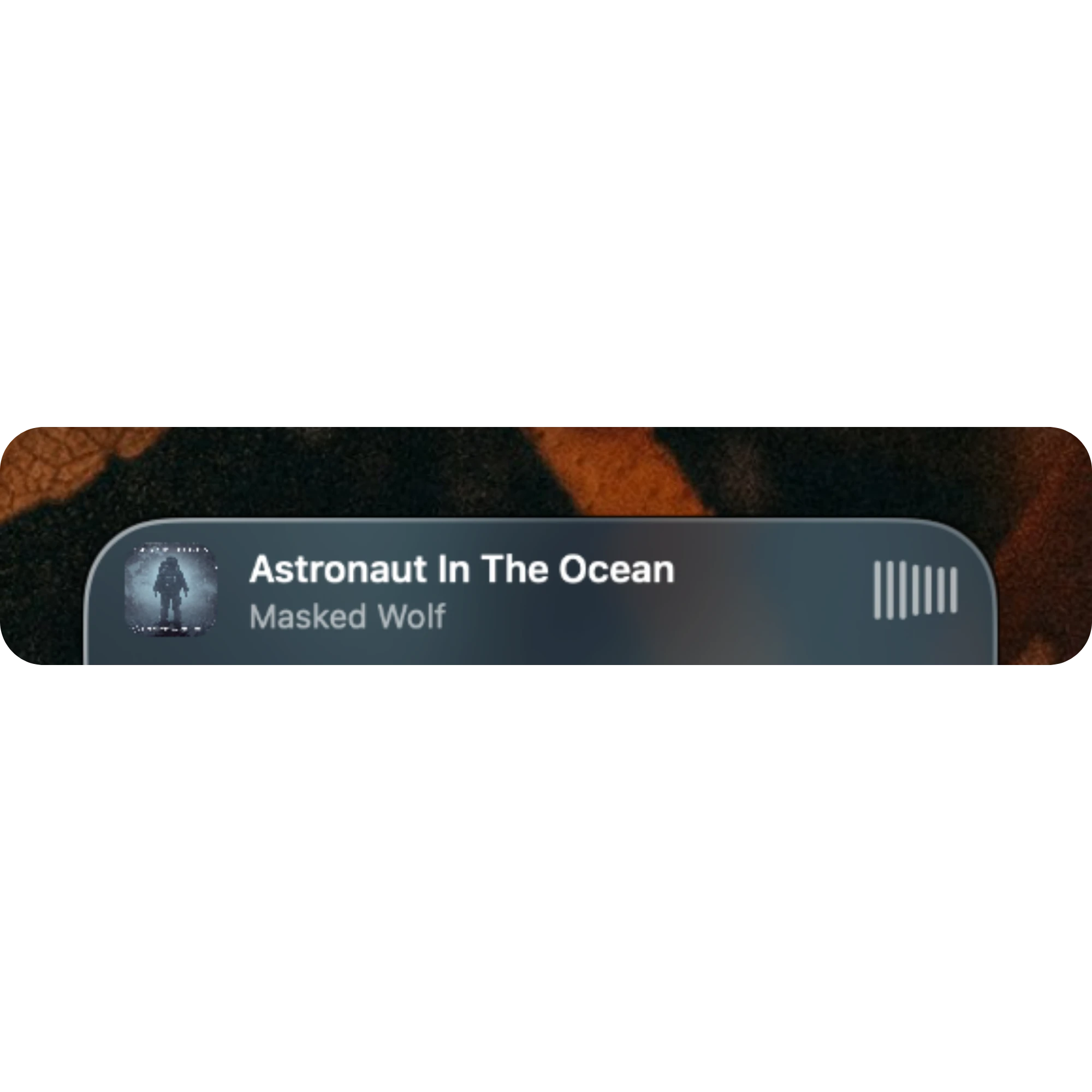
  • Waves that follow the musicOn macOS 14.2 and later, and with your permission, the bars move with the real loudness of Spotify or Apple Music. Arioso only measures it; nothing is recorded.
  • Never in your wayClicking it doesn't take focus from what you're typing in, and one switch puts it back on the desktop.
  • Made to fitMake it bigger or smaller with a slider, and choose frosted or clear glass, in Settings › Player.
The opened player, docked to the bottom of the screen: cover, song, artist, a progress bar, and shuffle, previous, pause, next and repeat buttons The slim collapsed player showing the cover, song, artist and moving waves
Always close by

A keystroke away.

⌥⌘L

Lock with lyrics

Press the shortcut anywhere and your Mac locks straight into the song.

Fit windows between widgets

⌘⇧L resizes the front app into the space beside your widgets. Press again to undo.

A share card made by Arioso: the album art on the left, the song title and the lyric “What you know about rollin’ down in the deep?” beside it, and “Shared by Arioso” underneath Copied — saved to Pictures
Share a lyric

The line you can't
stop singing.

Open the player at the bottom of your screen and press the share button. Arioso turns the lyric on screen into a card: the album art beside the song title and the line itself.

  • Copied and savedIt lands on your clipboard and in Pictures › Arioso as a PNG.
  • The line that's playingMade from the lyric on screen right now, so it's always the one you were singing.
  • Ready to postA wide card that looks right in a feed or a story.
Illustration: someone pointing at glowing desktop widgets on their iMac

Made for late nights, headphones on, and the line you can never quite catch.

Built natively in Swift for macOS. One universal app for Apple silicon and Intel.

Where the words come from

Quietly on your Mac.

A closed laptop on a desk with a small padlock on its lid, a plant, a mug and a notebook by a night window

Follows your player

By default Arioso only follows Spotify, so browser videos and other apps are ignored. Switch it off to follow whatever is playing: Music, a browser, anything.

Only follow SpotifyBrowser videos and other apps are ignored.

Lyrics from lrclib.net

Timed lyrics come from lrclib.net, a free, community-edited library. When a song only has plain lyrics, you get those instead.

The only thing it looks upThe song title and artist. Nothing else leaves your Mac.♪
No accountNo analyticsNo cloudNo background trackingNo audio recordings
Setup

Singing in a minute.

Arioso isn't notarized yet, so macOS needs one extra step the first time.

1

Download & drag

Open Arioso.dmg and drag Arioso onto the Applications folder.

Download for macOS
2

Let macOS open it

Run this once in Terminal. Right-click → Open sometimes works too.

xattr -cr "/Applications/Arioso.app"
3

Open and play a song

A short tour installs the screen saver and widgets. Then press ⌥⌘L and watch.

Open Arioso
What's new

Every version,
in plain words.

1.0Latest
  • Full-screen lyrics. Press ⌥⌘L and the song fills the screen, every line lighting up word by word.
  • Five scenes. Classic, Spotlight, Vinyl, Minimal and Shuffle.
  • Desktop widgets. Lyrics and Recently Played, in frosted Liquid Glass or solid cards.
  • Click a lyric to jump. Click any line in the Lyrics widget and the song jumps there.
  • Play it again. Click a song in Recently Played and it plays in the app it came from.
  • A player at the bottom of your screen. Shuffle, previous, play or pause, next, repeat and a progress bar you can drag, with waves that follow the music.
  • Fit Windows Between Widgets. ⌘⇧L resizes the front app into the space beside your widgets.
  • Share a lyric. Turn the lyric on screen into a card you can post.
  • Updates itself. Arioso checks once a day and offers to install new versions.
  • Spotify and Apple Music, with no account, no analytics and no ads.
Every version →
FAQ

Before you press play.

Which Macs does it run on?

Any Mac on macOS 13 Ventura or later. It's one universal app that runs natively on both Apple silicon and Intel.

Does it change how my Mac locks?

No. Arioso is a screen saver, so your Mac locks exactly as it always has and your password and Touch ID work the same. It just gives the lock screen something to sing.

What if a song has no lyrics?

If lrclib.net has timed lyrics, they play word by word. If it only has plain lyrics, those are shown instead. If there's nothing, you still get the album art, the song and the time.

Why does macOS say the app can't be opened?

Arioso isn't notarized by Apple yet. Run xattr -cr "/Applications/Arioso.app" once in Terminal, and from then on it opens like any other app.

Will Arioso update itself?

Yes. Once a day it checks this website for a newer version. When there is one, a window offers to install it and restart Arioso. You can turn the check off, or choose Check for Updates whenever you like, in Settings › About.

Does Arioso control my music?

Only when you ask it to: pressing a button on its player, clicking a lyric to jump, or clicking a song to play it again. Then it sends that one command to Spotify or Apple Music. It never changes playback on its own, and it never opens a music app itself.

Why does macOS ask to record audio?

So the player's waves can follow the real loudness of your music (macOS 14.2 and later). Arioso listens only to Spotify or Apple Music, only while a song plays, and turns each moment into a few numbers to move the bars. It keeps nothing and sends nothing. Say no, or turn off “Follow the music” in Settings › Player, and the waves simply animate instead.

Can I turn it all off?

Yes. One switch in Settings turns Arioso off: no widgets, no shortcut, and your Mac's normal lock screen. Turn it back on any time.

Will the widgets get in the way?

Drag and resize them anywhere, then save your layout. If things move around, "Back to my layout" snaps every widget back, and ⌘⇧L fits your windows into the space beside them.

Community

Tell us what
to build next.

Found a bug, or a feature you'd love? Both of these are open.

The founder at a night desk with a second screen showing a chat window and a pointer, headphones on
Arioso app icon

Put the words
on the screen.

Free to download. Works with the music you already play.

Version 1.05.8 MB disk imagemacOS 13+